



Control Spend
With Combyn, businesses can set spending limits and enforce policies that help to control expenses and prevent fraud

Simple Expense Management
Combyn automates the expense reporting process, which can save time for employees and reduce administrative burdens for finance teams

Increase Efficiency
Combyn’s automation features can help businesses save time and increase efficiency, allowing employees to focus on more strategic tasks.

Improve Compliance
Combyn helps businesses comply with tax and regulatory requirements by providing automated VAT calculation

Tailored to the needs of local and global businesses
Simplified Expense Reporting
With Combyn, users can easily track expenses, upload receipts, and generate reports in just a few clicks. The intuitive user interface of Combyn’s mobile app makes it easy for users to manage their expenses on the go


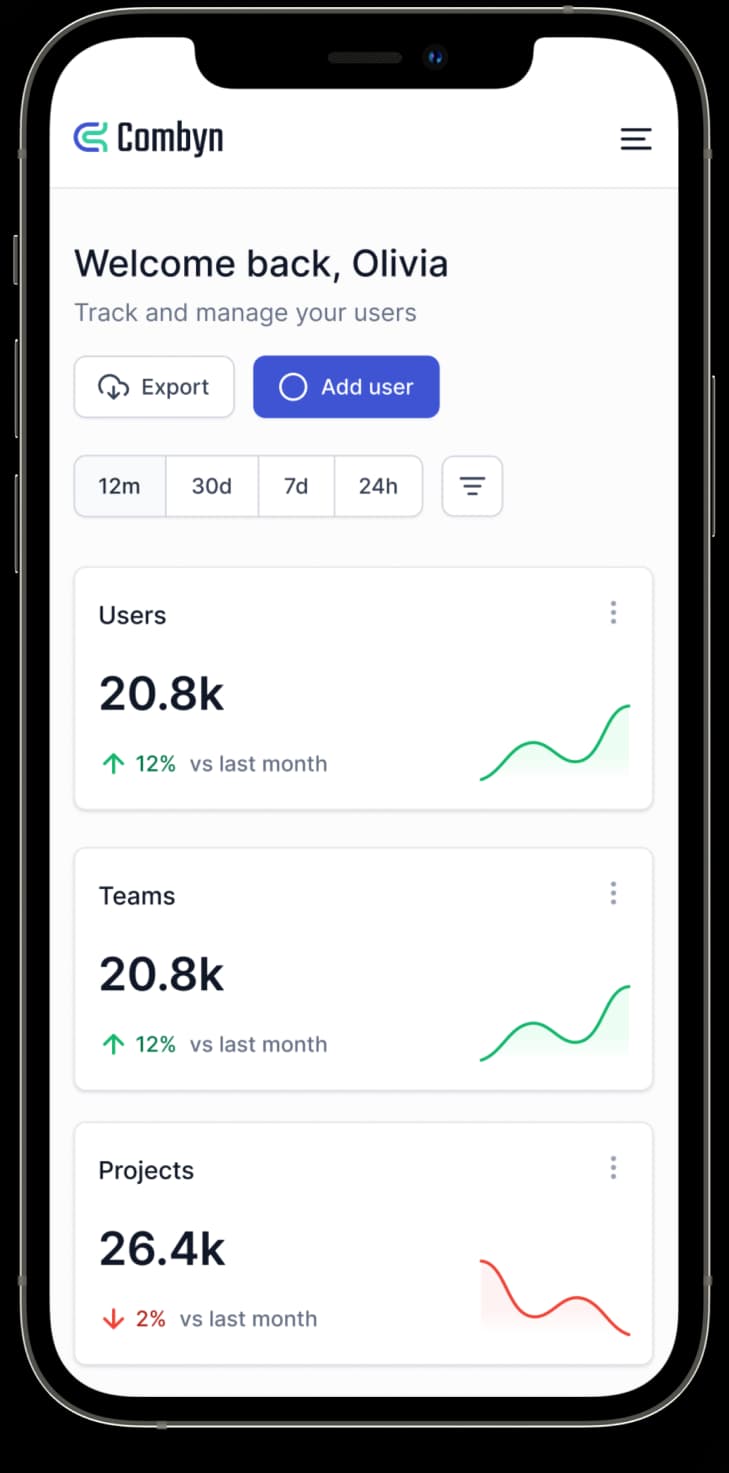
Upload Receipts
Users can upload their receipts by taking a photo using their mobile device or uploading an image file from their computer
Categorize Expenses
After selecting an expense, users can choose a category from a predefined list of expense categories. These categories can be customized to fit the specific needs of the user's company
Generate Reports
Users can select the expenses they want to include in a report from their list of expenses. They can choose to include all expenses, or only those that have been assigned to a specific project, category, or date range.
Efficient Budgeting
Combyn’s budgeting feature allows you to set up budgets for different departments or projects, which can help you better manage your expenses and ensure that you stay within your financial constraints
x 10 productivity for administrators and employees alike with Combyn
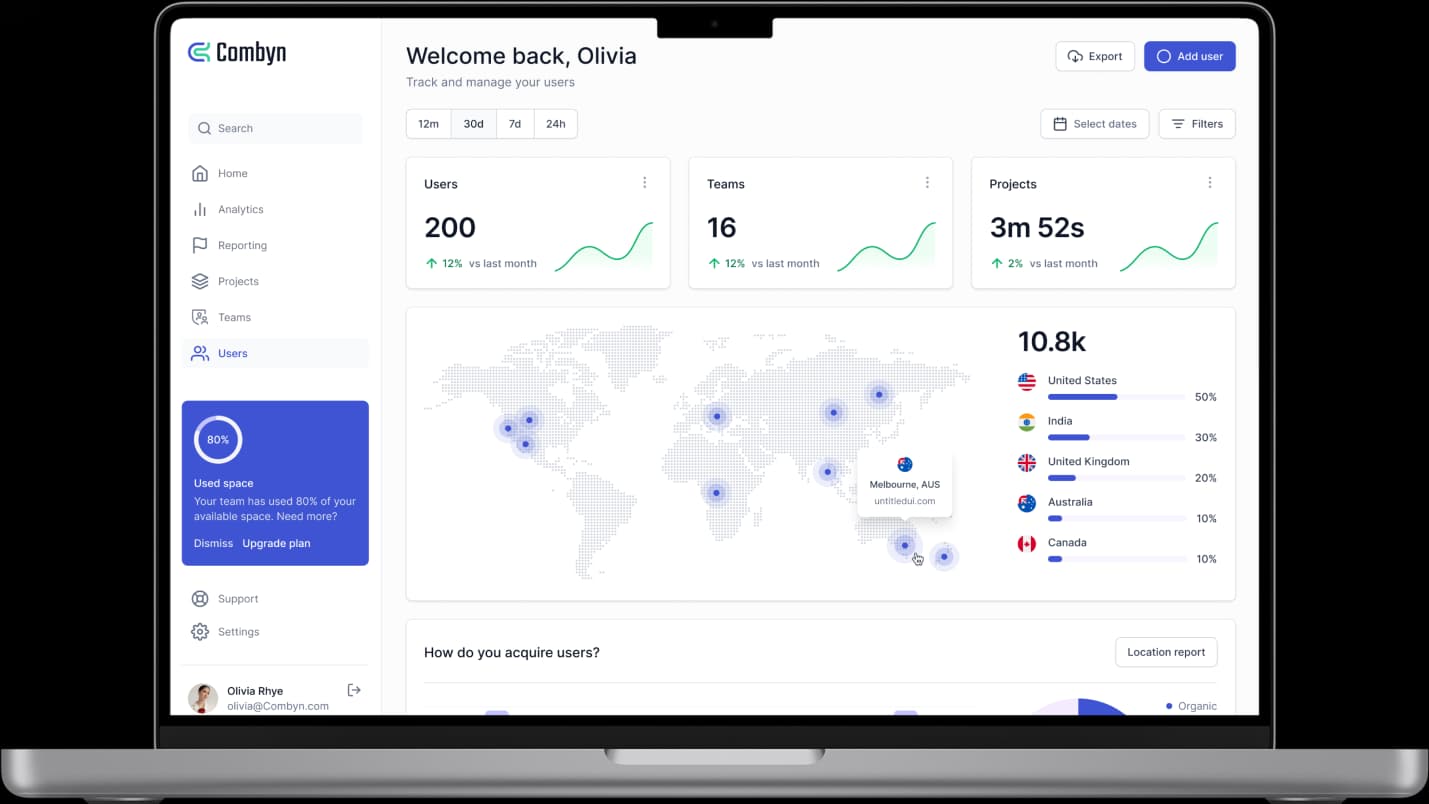

Simplify your Approval Process
The Combyn Admin app allows administrators to easily approve or reject expense requests, reducing the time it takes to process requests

Stay Globally Compliant
Combyn’s platform is designed to be flexible and customizable, allowing companies to set up their account according to the tax rules in each country they operate in

Keep Data Safe
The Combyn Admin app eliminates the need for paper-based expense reports, reducing the amount of paperwork administrators need to manage and keeping data stored safely

Plug and Play Integrations
The Combyn Admin app offers integrations with a number of other business tools and applications, which can help to streamline workflows and improve productivity
Integrates with Accounting and Finance Software
The Combyn Admin app integrates with other finance tools and systems, making it easy to incorporate expense data into other financial processes and workflows.



Frequently Asked Questions
Can‘t find the answers you’re looking for?
Reach out to our customer support team.
How do I get started with Combyn?
Getting started with Combyn is easy! Simply sign up for an account on our website, download our mobile app, and start tracking your expenses. We offer a variety of resources and guides to help you get the most out of our platform, and our customer support team is always available to answer any questions you may have.
How does Combyn work?
Combyn is a powerful and easy-to-use expense management tool that simplifies the process of tracking business expenses, from receipt capture to reimbursement. With features such as automatic expense categorization, mobile receipt scanning, and easy report generation, Combyn helps you save time and gain control over your business finances.
Is Combyn secure?
Yes, Combyn takes security and privacy very seriously. All data is encrypted both in transit and at rest, and we comply with industry-leading security standards and best practices. Additionally, we offer features such as two-factor authentication and data retention policies to ensure that your data is safe and secure.
How much does Combyn cost?
Combyn offers a variety of pricing plans to suit the needs of different businesses. Our basic plan is free and includes up to xxxxxx per month, while our team and corporate plans offer additional features and functionality at a competitive price. To learn more about our pricing plans, visit our pricing page.
Can I integrate Combyn with other tools and software?
The Combyn Admin app offers integrations with a number of other business tools and applications such as Xero, Sage, Quickbooks and Netsuite which can help to streamline workflows and improve productivity
Take Control of your Finances

Get the app


© 2023.Combyn. All rights reserved.


